Blog

Explore case studies, informational articles, and more.

Blog Posts Archive

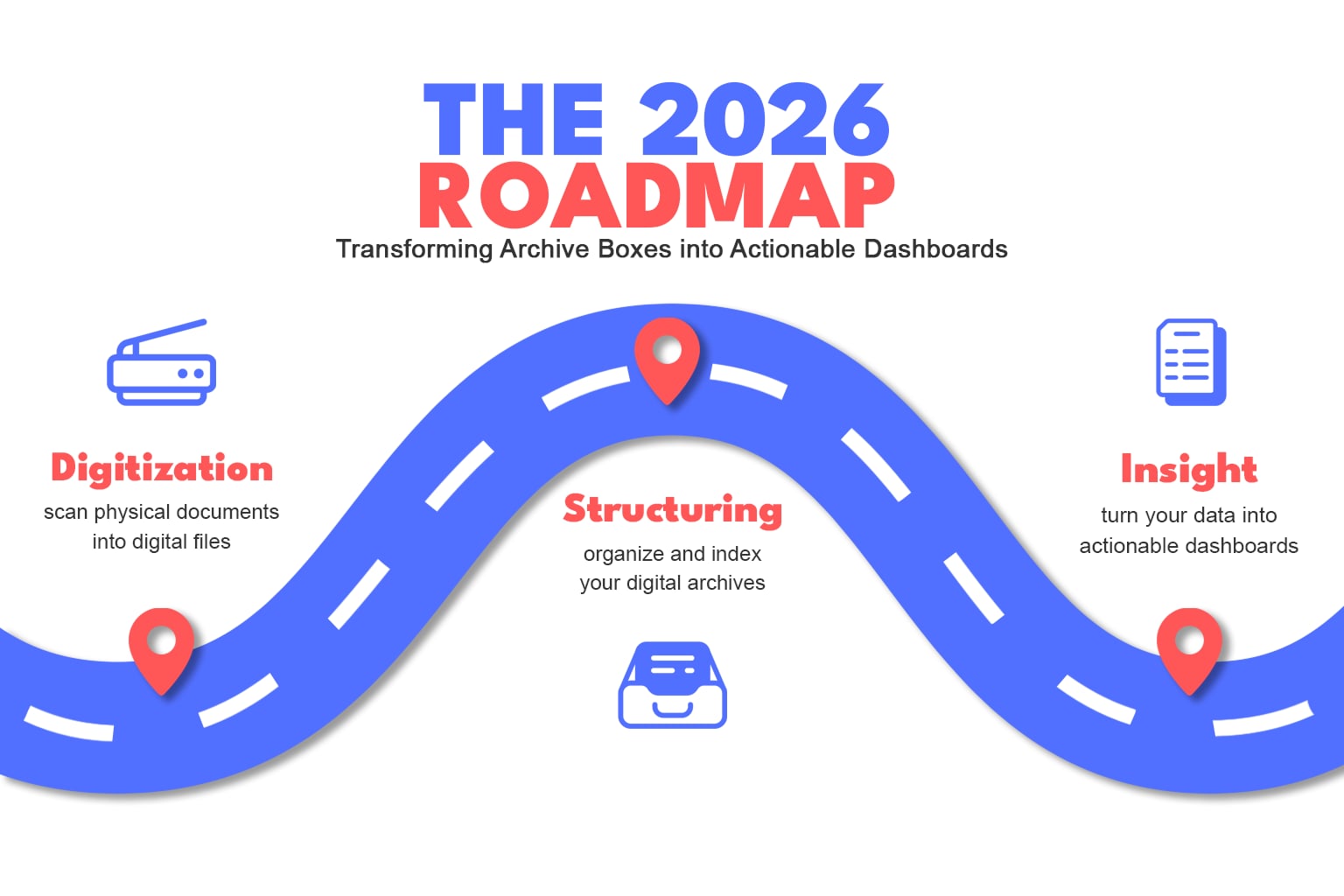
The 2026 Roadmap

How to Turn Your Archive Boxes into Actionable Dashboards For most business leaders, “Digital Transformation” feels like a massive, looming mountain. We often think of it as a one-time event: “Once we scan these 500 boxes of records, we’ll be a digital company.” But as we enter 2026, the goalposts have shifted. Simply having a digital version of a paper document isn’t enough. If you’ve simply replaced your rows of archive boxes with a digital “black hole” of unorganized PDFs, you haven’t gained efficiency—you’ve just moved the clutter. The real competitive advantage this year isn’t storage; it’s Ease of Access. The Three Stages of Data Evolution To hit peak efficiency, your business records need to move through three distinct phases: The Digitization Phase (Scanning) This is the foundation. We take your physical legacy—invoices, HR files, blueprints, or medical records—and convert them into high-resolution, OCR-searchable (Optical Character Recognition) digital assets. This clears the office floor, but it’s only the beginning. The Structural Phase (Consulting) Once your data is digital, it needs a “Map.” This is where professional business consulting comes in. We help you define: Indexing: How should files be named so they are found in 2 seconds? Workflow & Automation: We go beyond “who can see what.” We automate your manual processes to eliminate the need for physical paper entirely. We streamline your workflows to expedite how forms are sent, filled out, reviewed, and signed—turning days of transit time into minutes of digital action. Compliance: How do we ensure your digital archive meets 2026 security standards? The Insight Phase (Power BI) This is where the magic happens. By connecting your digital archives to a tool like Microsoft Power BI, your “dead” files come to life. What is Power BI? It is a powerful business intelligence tool that takes raw data (like the information found in your scanned documents) and turns it into easy-to-read visual charts, maps, and graphs. Essentially, it translates spreadsheets, database and files into a one page dashboard of what you care to know about the data.Here’s how it looks: Imagine instead of opening 50 individual PDFs to check quarterly spending, you look at a single Power BI dashboard that pulls that data automatically. You can see regional trends, profit margins, and operational bottlenecks—all visualized in real-time. Why “Efficiency” is Your Best Investment in 2026 Industry research from late 2025 indicates that over 60% of business leaders now prioritize operational efficiency as the primary driver for their digital transformation. In a world where labor costs are rising, spending 15 minutes searching for a single file is no longer just a nuisance—it’s a direct drain on your bottom line. Transitioning to a “Digital Insights” model doesn’t just save physical space; it saves hundreds of man-hours per year by putting the right data in front of the right people instantly. Are You Ready for Phase 2? If your scanning is done (or underway) and you’re wondering how to actually use that data to drive your business forward, we’re here to help. We are currently offering a “Data Readiness Audit” for Q1. By completing our brief assessment form, you’ll provide us with the key details about your current digitization stage and your primary goals for 2026. Once submitted, one of our specialists will reach out to schedule a personalized deep-dive call. We’ll review your current system and show you exactly how Power BI could turn your specific records—whether they are in HR, Logistics, or Finance—into a live, actionable dashboard. Start Your Audit
Read More »

Best Free Mobile Apps for Document Management On-The-Go

Managing documents on-the-go is a must these days, whether you’re a student, freelancer, or working professional. Fortunately, there are plenty of free mobile apps that make it easy to scan, edit, organize, and store documents straight from your phone. Here’s a look at some of the best free options to keep your workflow smooth and efficient, wherever you are.   To make it easier to find what you need, we’ve broken down the best free document management apps into categories: Office Suites, Note-Taking & Organization, Cloud Storage & File Management, Document Scanning & OCR, and Mind Mapping. Whether you need a full office suite or a quick way to scan documents, these apps have you covered.   Best Free Office Suite Apps These all-in-one tools offer mobile-friendly versions of essential programs for editing, creating, and sharing documents, spreadsheets, and presentations.   Microsoft 365 (Office) Mobile (iOS, Android): Microsoft 365 Mobile is like having a mini office in your pocket. Whether you’re drafting a document in Word, crunching numbers in Excel, or creating a presentation in PowerPoint, this app has you covered. The cloud-based collaboration is a game-changer, making it super easy to work with your team on the go. Features: Word, Excel, PowerPoint, OneNote Collaboration: Cloud-based collaboration Advanced Tools: Enhanced productivity features   Get Microsoft 365 Mobile 👈   Google Drive (iOS, Android): Google Drive is Google’s version of the classic office suite. With integration with Google Docs, Sheets, and Slies, you can create and edit documents right from your mobile device for free. Plus, the 15GB of free storage is perfect for keeping all your important files accessible from anywhere, anytime. Integration: Seamless with Google Workspace (Docs, Sheets, Slides) Storage: 15GB free cloud storage Collaboration: Real-time editing and sharing   Get Google Drive 👈   WPS Office (iOS, Android): WPS Office is a free, all-in-one office suite that includes Writer, Presentation, and Spreadsheets. It supports various file formats and offers features similar to Microsoft Office. However, there is also a premium version available that provides additional features such as ad removal and advanced PDF tools. Components: Writer, Presentation, Spreadsheets Compatibility: Supports various file formats Additional Features: Premium version with ad removal and advanced PDF tools   Get WPS Office 👈   Best Free Note-Taking & Organization Apps Perfect for capturing ideas, to-do lists, and reminders, these apps help you keep track of important details and stay organized.   Evernote (iOS, Android): Evernote is a notetaking and task management app that helps you organize your thoughts, tasks, and projects. It supports multimedia notes and integrates with various other apps. Multimedia Notes: Supports text, images, audio, and more Task Management: Organize tasks and projects Integration: Connects with various other apps   Note: Just a heads-up, the free plan now limits you to one device at a time, which might be a dealbreaker for some. This means if you want to use Evernote on both your phone and computer, you’ll need to log out of one before logging in on the other. This has caused dissatisfaction among users. While it still offers valuable features, we recommend exploring other options until these issues are resolved.   Get Evernote 👈   OneNote (iOS, Android): OneNote is a digital notebook that allows you to capture, organize, and share notes. It’s perfect for jotting down ideas, making to-do lists, and even sketching. The app supports multimedia content and offers robust collaboration features, making it a great tool for both personal and professional use. Digital Notebook: Capture and organize notes Multimedia Support: Add images, audio, and more Collaboration: Share and collaborate on notes   Get OneNote 👈   Best Free Cloud Storage & File Management Apps Access your files from anywhere and manage them securely with these cloud-based storage and file management options.   Google Drive (iOS, Android): Yep, we couldn’t help ourselves and added a repeat! All the files you plan on creating with Google Drive’s extensive office style suite of features also gets saved to Google Drive’s cloud storage. And better yet, you can upload any files from other devices or sources. The free plans will fetch you about 15GB of free storage for your online storage needs. Integration: Seamless with Google Workspace Storage: 15GB free cloud storage Collaboration: Real-time editing and sharing   Get Google Drive 👈   Dropbox (iOS, Android): Dropbox is a cloud storage service that lets you store and share files. It offers seamless integration with various productivity tools and ensures your files are accessible from any device. File Sharing: Easy sharing and collaboration Integration: Works with various productivity tools Accessibility: Access files from any device   Get Dropbox 👈   Microsoft OneDrive (iOS, Android): OneDrive is Microsoft’s answer to cloud storage. It syncs seamlessly with Microsoft 365 apps, making it easy to store and share files. The robust security features give you peace of mind that your data is safe. Storage: Sync and share files Integration: Works with Microsoft 365 apps Security: Robust security features   Get Microsoft OneDrive 👈   Best Free Document Scanning & OCR Apps These apps let you turn paper documents into digital files with ease, often featuring Optical Character Recognition (OCR) to make text searchable.   Adobe Scan (iOS, Android): Adobe Scan is a mobile app that turns your device into a powerful scanner. It automatically recognizes text and converts your documents into PDFs. The app is super easy to use, making it a great tool for digitizing your paperwork. When we tested it, it was even able to recognize a silly drawing of a cowboy cat on a sticky note and convert that into a PDF—mind blown! 🤯 OCR: Automatic text recognition PDF Conversion: Converts documents into PDFs Ease of Use: Simple and intuitive interface   Get Adobe Scan 👈   CamScanner (iOS, Android): CamScanner is a handy app for scanning, storing, and sharing documents. The OCR feature is great for making text searchable, and the advanced image processing ensures your scans are clear and professional-looking. OCR: Text recognition Image Processing: Advanced features for clear scans Sharing: Easily share scanned documents

Read More »

Optimize Document Storage: Secure, Streamline, and Simplify Your Records Management

Do you ever feel overwhelmed by the number of boxes and paperwork piling up? Do you struggle with knowing what you have on file and where it’s located? Well, don’t fret! DocuDriven is here to help you navigate through the clutter and optimize your storage needs.   Lack of Space Physical files take up a lot of real estate. The more boxes and paperwork you have, the more space you’ll need to store them. A lack of space can result in records being stored in multiple rooms, or even different buildings, making locating a specific document troublesome or near impossible.   Improper Storage Sometimes we must work with whatever storage is available, but often these options aren’t ideal. Without proper temperature control and tight security, documents can end up irreversibly damaged, moldy, or stolen!   Errors & Mishaps People are prone to making errors. When numerous people have access to your records the possibility that a document might accidentally be disposed of or damaged increases.   Streamlined Retrieval Hauling and lifting aside, it takes a considerable amount of time and energy to rummage through folders for the documents you need. Cut down on the time and energy needed to find, retrieve, and upload a file when requested.   Let DocuDriven Be Your Guide DocuDriven has plenty of secure, weather-proof space to house your boxes. We offer a variety of services like pickup/delivery, inventory, and document destruction. We can even retrieve files when you need them. Better leave the storage to experts who know how to prolong the life of your physical records!   Interested in getting started? Contact Us or scan the QR code to get in touch and we’ll see how we can help.  

Read More »

Navigating HR’s Paper Trail: Overcoming Document Managment Challenges With Ease

Where there are employees, there are personnel files… Once your company’s headcount reaches 15 or more, specific government guidelines kick in and dictate what HR documents you must retain and for how long; a period that could range anywhere from one year to six years, or even an indefinite amount of time (if they’re military leave records).   Do you have 15 or more employees?   If you do, then you’ve entered the overwhelming realm of document management, and with any new endeavor, there are risks. Here are some practices to ensure that your company remains compliant with federal laws, so that you don’t end up in the pits.   It’s a slippery slope with physical HR files Potential federal noncompliance aside, physical files are such a hassle. A lack of centralized document storage means that files are often stored across multiple locations or systems, making them difficult to locate, retrieve, and systemize.   And let’s say you do find a file, there’s a possibility it could be missing important paperwork, and that in turn may lead to potential legal issues.   Can you locate your employees’ hiring forms, tax records, and various copies of identification? Are you sure those files are complete? Would you be able to efficiently retrieve them when asked?   Don’t be caught off guard! Set a solid foundation to avoid a landslide of issues later.   False security with physical HR files Occasionally, third parties like auditors or legal counsel will request files from HR, which comes with its own set of risks as improper sharing may compromise employees’ sensitive information and violate privacy laws. Yikes.   HR departments are also notorious for tons of paperwork, leaving them prone to security breaches, misplacement, or accidental destruction. Reinforce compliancy with a digital process and avoid any potential surprises.   Monitoring lifecycles with physical HR files Without an automated document management system in place, HR needs to keep track of retention periods and properly dispose of expired documents when necessary, increasing the possibility of noncompliance and eventual legal risks.   Not only are there federal regulations to abide by, but there are also state and industry retention periods as well, and these can vary based on the type of records. Avoid possible penalties by digitizing your HR documents and automate that retention and disposal process, so your worries can be left in the breeze.   So, are you ready for this journey? You can be! Once you establish a secure and streamlined digital repository to manage HR personnel documents.   With DocuDriven’s expertise in scanning, indexing, and storage, you’ll be able to not only safeguard your HR documents, but manage their lifecycles as well, allowing your admin to find what they need efficiently and securely.   Interested in getting started? Contact Us or scan the QR code to get in touch and we’ll see how we can help.  

Read More »

I Like It Here – How to Foster a Positive Workplace Culture

It is never too soon nor is a company ever too small to foster a positive environment for employees. Workplace culture-building starts from day one, and every employee—leaders included—has a hand in either maintaining or dismantling it. Workplace culture is a set of consistent yet ever-evolving values that guide your company’s mission, and this culture is reflected in the way clients and employees are regarded. A strong, positive workplace culture improves teamwork, inspires innovation, and reduces stress; while low morale, too many sick days, high turnaround, and an inability to hire or maintain top talents are symptoms of a workplace culture that needs improvement. The Requirements for Creating a Positive Workplace Culture First, identify and analyze key aspects of your company’s ethos to create a foundational mission that’ll inspire employees’ engagement and motivation. When there’s a clear overarching purpose, it’s easier to see where all the effort is going, which can then inform employees on how to achieve their individual goals. Ultimately, the employee experience (this includes leadership style and team dynamics) should reflect the company’s core values alongside the beliefs of the leaders in charge. Secondly, leaders (presidents, directors, executives, supervisors) are the ones who establish and spearhead the tenets of culture, so what they focus on and the values they deem important are crucial. If a leader is empathetic and passionate, then that paves the way for the employees to follow suit. Actions speak louder than words, after all. Consistency is paramount when considering how to foster a positive workplace culture. Expectations should be set, so employees know how to behave and socialize while achieving their daily tasks. Rules should be clear and equally enforced as unpredictability and unethical behavior can harbor distrust, undoing any positive aspects from the inside out. No one should be untouchable when it comes to the established rules. And finally, culture is created via the daily experiences of a group and their shared beliefs. From a good onboarding experience to thoughtful employee evaluations, all facets of work-life should feel genuine and well-intentioned. Leaders should encourage feedback and recognize employees’ efforts during meetings. This open communication will instill trust and enable employees to feel seen and valued, strengthening their commitment to the company’s mission.   How to Improve Workplace Culture Set clear objectives and short-term goals for every department. Educate employees on the long-term goals and define the company’s mission. Establish a transparent and open form of communication for team members and management and empower everyone to share their suggestions and thoughts via surveys, workshops, and one-on-one meetings. You never know where the next big idea will come from. Aim for diversity when hiring and networking and promote inclusivity by sharing and honoring preferred names and pronouns. Create opportunities for employees to socialize by throwing office birthday parties, scheduling outside of work get-togethers, and allowing time for some friendly conversation before meetings. Grant employees a mental health day and provide a way for everyone to disclose their issues—personal or work-related—that they are currently facing. Acknowledge that mistakes are going to happen and treat them as a learning opportunity. Sources https://www.umassglobal.edu/news-and-events/blog/tips-for-creating-a-positive-work-culture https://builtin.com/company-culture/positive-work-culture https://professional.dce.harvard.edu/blog/6-tips-for-building-a-better-workplace-culture/ https://www.forbes.com/sites/pragyaagarwaleurope/2018/08/29/how-to-create-a-positive-work-place-culture/?sh=47e2af2c4272 https://www.jobvite.com/wp-content/uploads/2022/03/JSN-2022-3-25.pdf

Read More »

To BPO or Not to BPO – Business Process Optimization & Outsourcing

Business Process Optimization (BPO)—an integral part of Business Process Management (BPM)—is the practice of taking a business’ existing processes and optimizing them to make them more efficient, enabling further beneficial processes to materialize. But what exactly is a business process, and what differentiates productive practices from ineffective ones? Business processes are repeatable tasks that accomplish specific daily goals. They are essential for organizing labor and enabling a company to operate smoothly. Successful business practices are comprehensive, employing a series of vital factors that include regular end-user training, great workplace culture (a topic for another time), alongside top management communication and internal support. In short, productive processes can be measured by the effort required to achieve a particular business goal. An ineffective business process comprises poor communication, superfluous physical processes, and the use of outdated tools (such as too many paper forms or laggy software, again, a topic for another time). Ineffective business processes require effort that goes far beyond what is reasonable to meet a goal. Business Process Optimization should not be confused with Business Process Outsourcing, though the two can coincide. Business Process Optimization 🤝 Business Process Outsourcing Business Process Outsourcing (also known as BPO) is when a business contracts an outside party to handle specific operational functions. Though Business Process Optimization can be done internally, many businesses choose to outsource their processes to specialized companies and partners. There are two main areas where BPO can be deployed: back-office procedures, support operations (e.g., IT, accounting, HR), or front-office services (e.g., sales, marketing, customer relations). In either area, Business Process Outsourcing lowers costs and provides greater operational flexibility, improving productivity, and reallocating resources to gain advantages over competitors.   No matter how minor, it is always worth improving your processes, and outsourcing tasks can bring other priorities to the foreground. A few points to consider when implementing Business Process Optimization/Outsourcing: Identify what issues need internal attention versus what can be outsourced. Conduct research, ask for suggestions, and set realistic goals. Analyze the list of processes to be outsourced or optimized according to their current function and the established goals. Implement new practices or reach out to companies for back-office or front-office support. Finally, monitor outsourced or optimized processes with progress reports and fine-tune when necessary. Sources https://www.forecast.app/blog/business-process-optimization https://www.formassembly.com/blog/break-up-with-inefficient-work-processes/ https://www.investopedia.com/terms/b/business-process-outsourcing.asp https://www.myshortlister.com/insights/bpo-statistics https://www.pipefy.com/blog/business-process-optimization/

Read More »

Case Studies Archive